Lagowski says he is on beta 3.0.2 and that a public drop is due in the first couple of weeks of November. On Laon SwingCraft's notice board, the official Toolkit download is still v2.4.3 from July 27, so this remains beta behavior until Laon posts a 3.0 release.
What 3.0.2 adds beyond the first look
- Saved swing video, confirmed. In Options → Replay he finds a Recording control with compress or original (no compression). Under Storage, "Save swing replay videos" is on, and history is set to keep 100 shots. In the earlier 3.0 walkthrough the Record button was untested; Lagowski treats local saves as live in 3.0.2 and useful for sending clips to a coach.
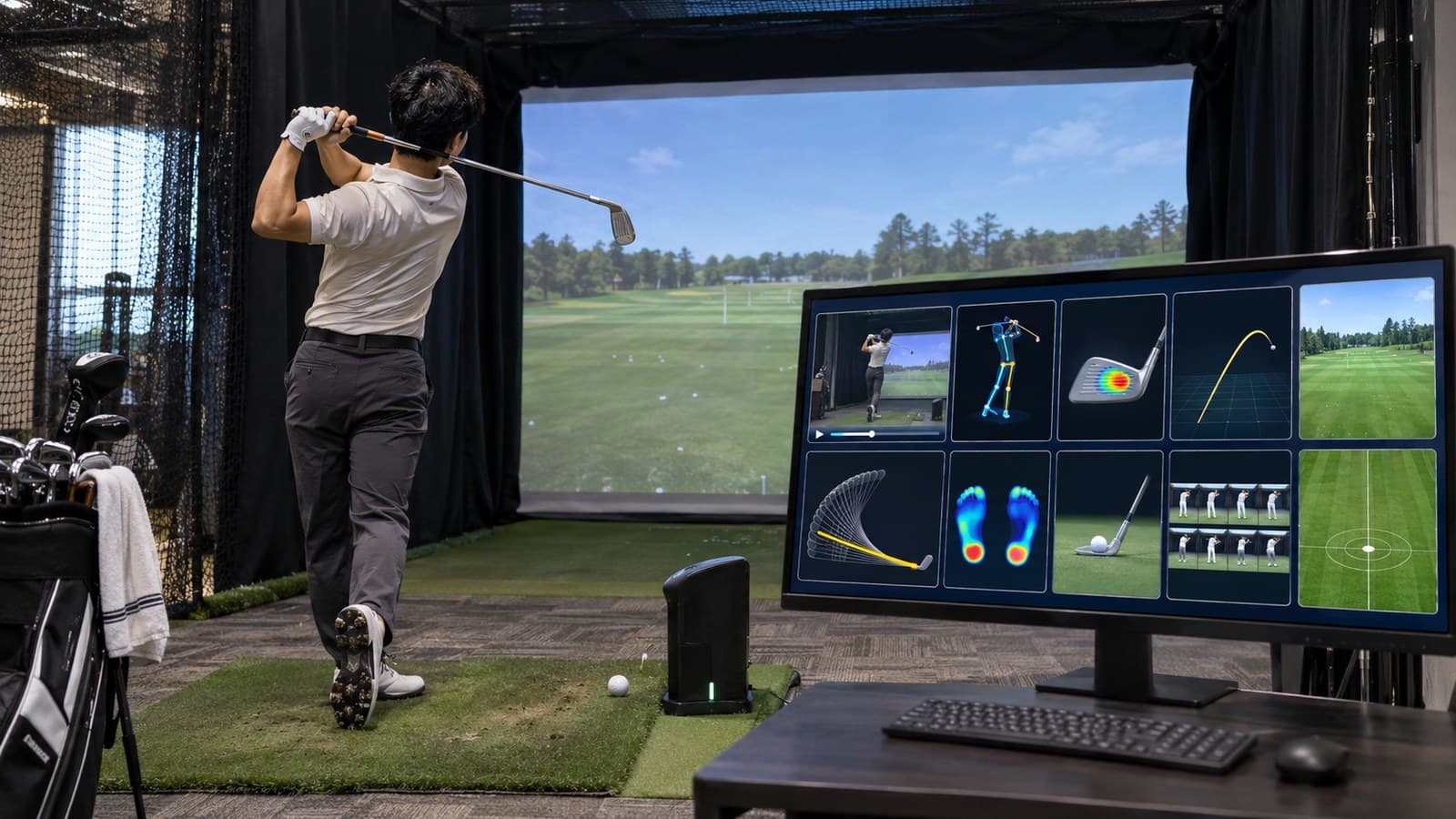
- Ten panels, some locked. The top-right counter shows eight of ten panels on. He can resize and drag the rest, including onto a second display, and expand swing or ball-spin views to full screen. History, shot metrics and the built-in driving range stay locked. His main complaint: if you pair a VTrack with GSPro, PurePlay or E6, the Toolkit range still eats space and you cannot kill it.
- Shot replay next to swing replay. Both sit inside the Toolkit now, not as the old overlay window. Mobile phones still pair as swing cams through a QR code on the same Wi-Fi; he prefers his SwingEZ cameras but calls the phone option smart for dark bays.
- Metric focus and dispersion. You can dim the clutter and highlight club speed and ball speed for a long-drive session. The range overlay shows apex, carry and total. A dispersion panel reports average carry, deviation and side miss (he reads 2.3 yards right after three 7-irons). Path readouts go to hundredths (he reacts to a 0.10 in-to-out).
Skins are the same five we noted before — VTrack, Classic, Glass, Projector, Basic — and he lands on Classic for the darker look. Club-angle, face-angle, path and heat-map panels replace the old "crayon" impact circle with a smaller strike mark he likes better, though he still wants the green halo gone. He also flags a lefty club graphic that stays on screen when handedness is set to right.

 GearVTrack Toolkit 3.0 beta adds shot history, in-app swing replay and a new layout
 GearJoe Lagowski plays PurePlay's Kidnappers back nine on NVisage's Neo E and flags two early bugs
 NewsNumbers of the week: Novak's 25-under record leads a weekend of firsts
 GearFree Shanktuary app turns two $20 Wii Balance Boards into golf pressure plates