Putting on a home simulator: which launch monitors read putts and when auto-putt is enough
The Garmin R10 and Rapsodo MLM2PRO don't read putts, webcam projects can fill the gap in GSPro, and standalone systems run from $469 to more than $17,000. For most DIY builds, auto-putt and Pick Your Putt are the right call.
By The Perfect Lie Golf Desk1 sourcePublished November 19, 2026
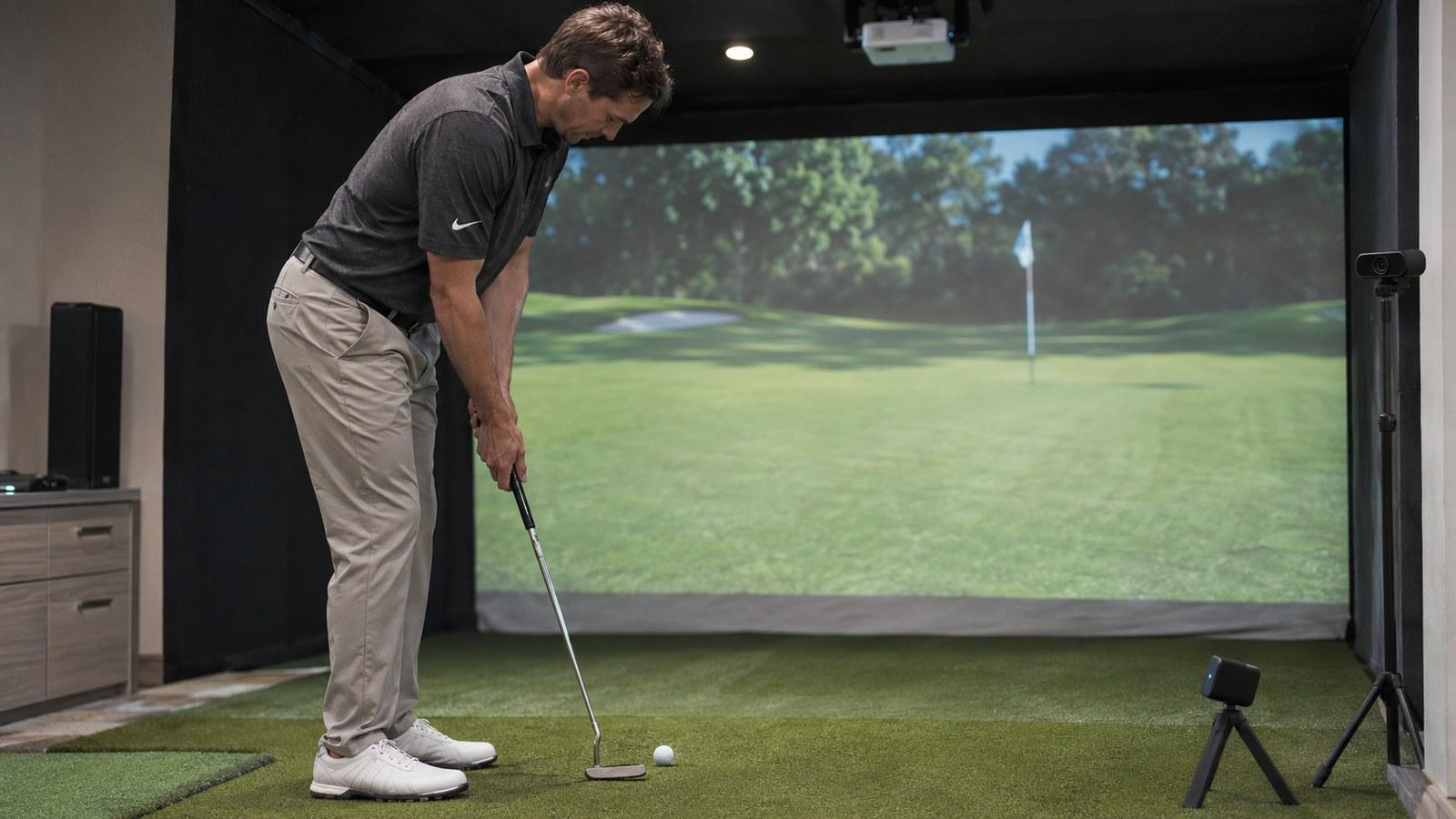
Putting is the weakest part of most home simulators, and for most golfers, the money is better spent elsewhere. Auto-putt and gimme settings handle the green well enough to keep a round honest and moving. Real putt tracking is worth it in two cases: your launch monitor already does it and your room has space for the ball to roll, or putting practice is the reason you built the sim in the first place.
Here's how to decide. Prices and features were checked against maker pages on Nov. 19, 2026.
Which launch monitors read putts
A launch monitor sitting behind the ball has to see a slow, low, spinless roll, and some don't try. GSPro's setup guide says plainly that the Garmin Approach R10 "does not support putting" and tells owners to choose an auto-putt mode before the round. Rapsodo says the MLM2PRO has no built-in putting feature, as quoted by PuttBay, and Golf Simulator Videos reports that Rapsodo has no plans to add it. The newer MLM2XPRO ($899.99) adds tracked putting in Rapsodo's own course play with a Core membership, which Rapsodo lists at $199.99 a year. Golf Simulator Videos found that the MLM2XPRO and the Mevo Gen2 both putted in GSPro in its own tests, though neither maker promises that.
Free to play
Make your call with Beat Chuck
Check the challenge board for the latest open games.
All Beat Chuck games →
Other monitors do read putts, with conditions:
- FlightScope Mevo Gen2: putts with the unit about 5 feet behind the ball and at least 8 feet of flat roll in front of it, according to Golf Simulator Videos and Top Shelf Golf, both citing FlightScope. On GSPro's FlightScope connection, GSPro picks normal, chipping or putting mode automatically, and you can force a mode by hand.
- Uneekor EYE MINI: has a built-in putting mode. In Golf Simulator Videos' GSPro test, GSPro switched the unit into it on the green.
- Foresight GCQuad and QuadMAX: need the Essential Putting Analysis add-on, listed at $2,500 on Foresight's store.
- Trackman 4 and iO: Trackman's specs list simulator putting for both, as compiled by Golf Simulator Videos, inside Trackman's own software.
- SkyTrak: its own app has a putting mode. In GSPro, which SkyTrak only reaches through a community bridge, MyGolfSimulator still recommends AutoPutt.
Even when a monitor reads putts, the room limits you. The screen sits a few feet past the ball, so a 30-footer rolls into fabric. Most turf is flat, so any break you see on screen comes from the software. GSPro has a Putting Assistance setting because, in its words, some launch monitors "skew ball roll" on putts. The setting keeps that skew within 2 degrees.
Standalone putting systems
These skip the launch monitor entirely.
ExPutt RG ($469 on ExPutt's US store). A high-speed camera watches the putter and ball on a flat mat about 44 inches long and shows the putt on a TV. ExPutt's manual, as summarized by Golf Simulator Videos, lists putts from 5 to 50 feet, green speeds from 8 to 14 and virtual slopes up to 2 degrees. It works well as a living-room practice toy. The community has also wired it into GSPro, more on that below.
PuttView. This is a real, contoured green with a projector and a tracking camera overhead that draws the line and the speed on the turf. PuttView's shop lists the P7 home green at $14,579 and the P7 Plus at $17,729. Foresight sells a SIM IN A BOX PuttView edition that pairs the green with its simulators. This is serious money for a serious putting room.
The DIY camera route
This is where GSPro's open interface helps. The best-known project is cam-putting-py, a free tool on GitHub. It uses a webcam and OpenCV to track the ball and sends GSPro the putt's ball speed and start line. It runs through the community connectors for the R10 and the MLM2PRO, which means an R10 owner can get real putts in GSPro for the price of a decent webcam and some patience. The README asks you to mount the camera to the side of the ball and above it, and to tune the ball-color detection.
The MLM2PRO-GSPro-Connector by springbok goes further. Its GitHub page says it carries full shots from an MLM2PRO or Mevo+ and takes putts from either a webcam or an ExPutt. Joe Lagowski's walkthrough, embedded with this story, shows the ExPutt setup.
Know the limits before you start:
- You need GSPro's Open API license. Community developers say a maker-specific license, such as GSPro's official Rapsodo route, doesn't show the window these tools connect to. PuttBay's summary of a golf-sim forum says Mevo+ owners who switched lost short chips they'd had on GSPro's FlightScope route.
- GSPro takes one connected app. Connector developers say a second app can't join, so the putting camera has to go through the same connector that carries your full shots.
- A webcam putt carries little data. cam-putting-py sends only ball speed and horizontal launch angle, so you get pace and start line, not a full read of the stroke.
- Projects come and go. KW Golf's ShotBridge with PuttLinx, a free connector that included webcam putting, is now marked discontinued on its site. A beta relay app called PuttBay is trying the same idea.
The settings that make auto-putt work
GSPro offers gimme distances from 2 to 20 feet, Auto-Putt Fixed, Auto-Putt Random, Auto-Putt Fixed with Chip, Pick Your Putt and Putt Out. Auto-Putt Fixed draws a one-putt circle and a two-putt circle, and you can set both sizes. Pick Your Putt lets you enter your own number of putts once you reach the green.
Pick Your Putt is the best option for most DIY builds. Hit your approach in the sim, then roll the putt for real on a putting mat at about the distance shown and enter what you made. You're still putting, and the sim keeps your score. E6, Trackman's software and Foresight's FSX Play all have their own gimme and auto-putt settings.
The verdict, by budget
- Entry level, monitors that don't putt (Garmin R10, Rapsodo MLM2PRO): Use Auto-Putt Fixed for quick rounds and Pick Your Putt with a real mat when you want to count your putts. Try a webcam setup only if you enjoy tinkering and are already on the Open API license.
- Mid-range monitors that putt (Mevo Gen2, MLM2XPRO, Uneekor EYE MINI): Turn on putt tracking only if you have the 8 feet or so of flat roll. Otherwise stay on auto-putt and don't worry about it.
- About $500 to spare: An ExPutt is the cheapest real putting trainer, and the springbok connector can bring it into GSPro with an MLM2PRO or Mevo+.
- $2,500 and up: Foresight's putting add-on and PuttView make sense only if a premium putting practice room is the goal.
For the average DIY setup, auto-putt is good enough. As Mark Broadie's numbers in our strokes-gained story suggest, your approach shots will lower your scores faster than the green will.
- YouTube
How to connect your MLM2PRO and Ex Putt to play GS Pro!
Read source ↗
Beat Chuck · Free to play
Can you outpick Chuck?
Make yes-or-no picks on TGL and WTGL golf. Beat Chuck by getting more picks right than he does.
More from The Perfect Lie
Related stories
 Build & TechWhat each major launch monitor needs to run GSPro, E6 Connect or Awesome Golf
 Swing LabMark Broadie: approach shots, not putting, cut a 90 into an 80
 Build & TechPhiGolf 2 Flex's new AI swing coach wins over Lets Play Thru in a retest
 Build & TechVirtual Tee turns a Berthoud, Colorado bonus room into a Uneekor EYE XR sim